

01 / 04
Record
Start from the room, your phone, or a meeting link.
Capture audio live or send the bot into Zoom, Teams, Meet, or Webex.
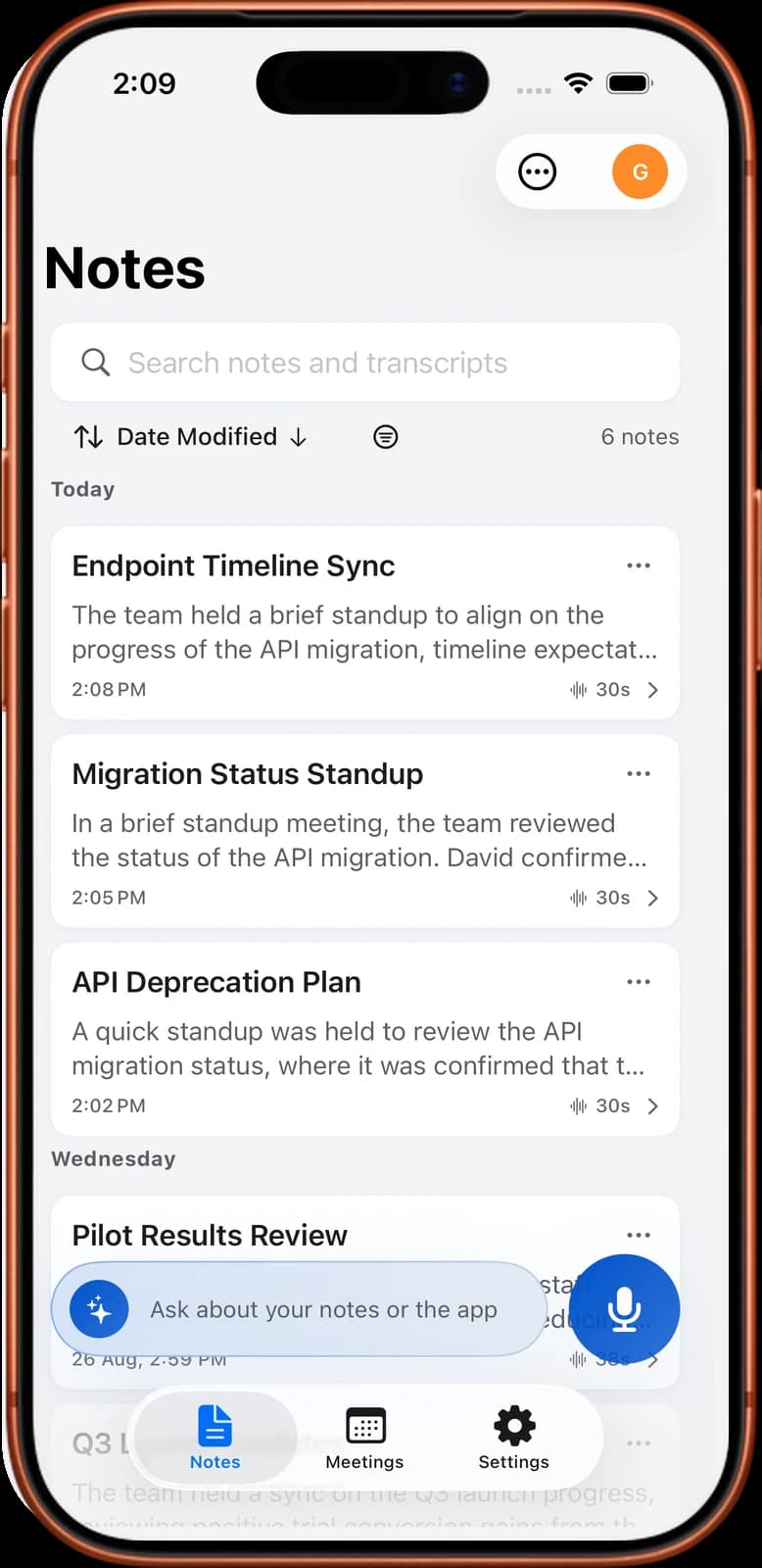
Send the Noter AI bot to Zoom, Teams, Meet, or Webex — or record on the spot. Walk away with a transcript, summary, and extracted action items. In 60+ languages.

On your computer? Scan with your phone to get the app.

Zoom · 4 participants · 18 min
Trusted by professionals worldwide
A fast product overview showing meetings, capture, summaries, and action items without making the page wait for a heavy video load.
Capture audio live or send the bot into Zoom, Teams, Meet, or Webex.
Timestamps, labels, and readable paragraphs appear without manual cleanup, on iPhone and Android alike.

Switch between the raw words and the decision-ready write-up without leaving the note.

One question searches the whole archive and answers from it.

Paste a meeting link and Noter AI joins as a participant, records the call, then hands back a transcript, summary, and action items.
 Zoom
Zoom Teams
Teams Meet
MeetTranscript, decisions, action items, and searchable AI chat ready after the call.
Transcribe 60+ languages — detected automatically — with speaker identification attached to every sentence.
Ask follow-up questions and jump straight to the source moment.
Decisions, risks, blockers, and next steps extracted from the transcript.
Translate any transcript into another supported language.
Send notes where your team already works.
Prep from your schedule and attach notes back to meetings.
Noter AI feels like it belongs on iPhone and iPad: fast recording, Siri-ready capture, Dynamic Island status, and Control Center access.
On Android? Noter AI is on Google Play too.
Recording state stays visible without opening the app.
Start capture from the system surface you already use.
Recordings, transcripts, and summaries stay protected, with delete-anytime controls for sensitive meetings.
Translate any transcription to any other supported language, so every participant can read the same meeting in the language they need.
“It catches decisions I used to miss while facilitating.”
“The bot flow is the first meeting recorder my team actually remembers to use.”
“Action items are ready before I open my laptop again.”
Yearly is the cleanest offer: all recording, bot, transcript, summary, translation, and chat features with 58% savings.
A: Just paste a meeting link or tap "Join" from your synced calendar. The Noter AI bot joins as a participant, records the entire meeting, then automatically creates a full note with transcript, summary, analysis, and action items.
A: Transcription covers 60+ languages and the language is detected automatically — you never pick one before recording. Translation of the finished notes is available in 18 languages: Arabic, Chinese (Simplified & Traditional), Dutch, English, French, German, Indonesian, Italian, Japanese, Korean, Polish, Portuguese, Russian, Spanish, Thai, Turkish, and Vietnamese.
A: You can explore sample notes in the app to see how everything works before subscribing. Once you subscribe, you get full access to all features with no hidden limits.
A: Yes. All data is encrypted in transit and at rest. We support Sign in with Apple for private email relay, use industry-standard OAuth authentication, and you can delete your account and all data at any time.
A: Yes — Noter AI has an optimized layout designed specifically for iPad's larger screen, with all the same features available on iPhone.
A: Yes — Noter AI is available on both iOS and Android. Get it on the App Store for iPhone and iPad, or on Google Play for Android phones and tablets.
A: Yes — export as PDF, Word (.docx), or plain text (.txt). You can also copy to clipboard with rich text formatting for quick pasting into emails or documents.
A: AI Chat lets you ask questions about your notes in natural language. Select one or multiple notes as context and get instant AI-powered answers — no need to re-read entire transcripts.


